Home/Free AI Presentation Slide Designer

Free AI Presentation Slide Designer

Edit pitch decks online in seconds — without designers, downloaded templates, or complicated software. Phygital+ AI slide designer was made for founders, students, and anyone who needs precise, clean slides in a few clicks.

Phygital_Slides_Project_01.pptx
Make this slide more visual...
Supported byimage (6).png

What is an AI Slide Editor?

Intelligent layout engine

The AI slide editor is a professional-grade online tool that uses artificial intelligence to structure your content into clear, readable slides instantly.

Beyond templates

You can smooth text, adjust layout density, swap chart types, and remove distractions — all with precision and full visual control.

For storytellers

Whether you're seeking funding, refining strategy, or preparing a Q3 review, this tool adapts slides just for your narrative.

Why should you use the AI slide image editor?

High precision controls

Thanks to multi-model integration, you can work across different AI engines in one flow.

Edit everything, instantly

Remove a chart, raise bullets, reduce font size, correct colors, or change layout expression.

No install, no extra software

Everything works in your browser. Whether you're on desktop or tablet, edits are saved locally.

Formats you actually use

Download results in PPTX, PDF, or export high-res versions for print or web. No watermarks.

From the chaos of thoughts to the harmony of convincing slides

Your idea deserves to be presented clearly, stylishly, and solidly. Our free AI slide designer is designed to eliminate key obstacles: lack of time, design skills, and a unified style. It turns your theses and data into a professional, visually powerful presentation.

Problem

Visual integrity from the title to the last slide

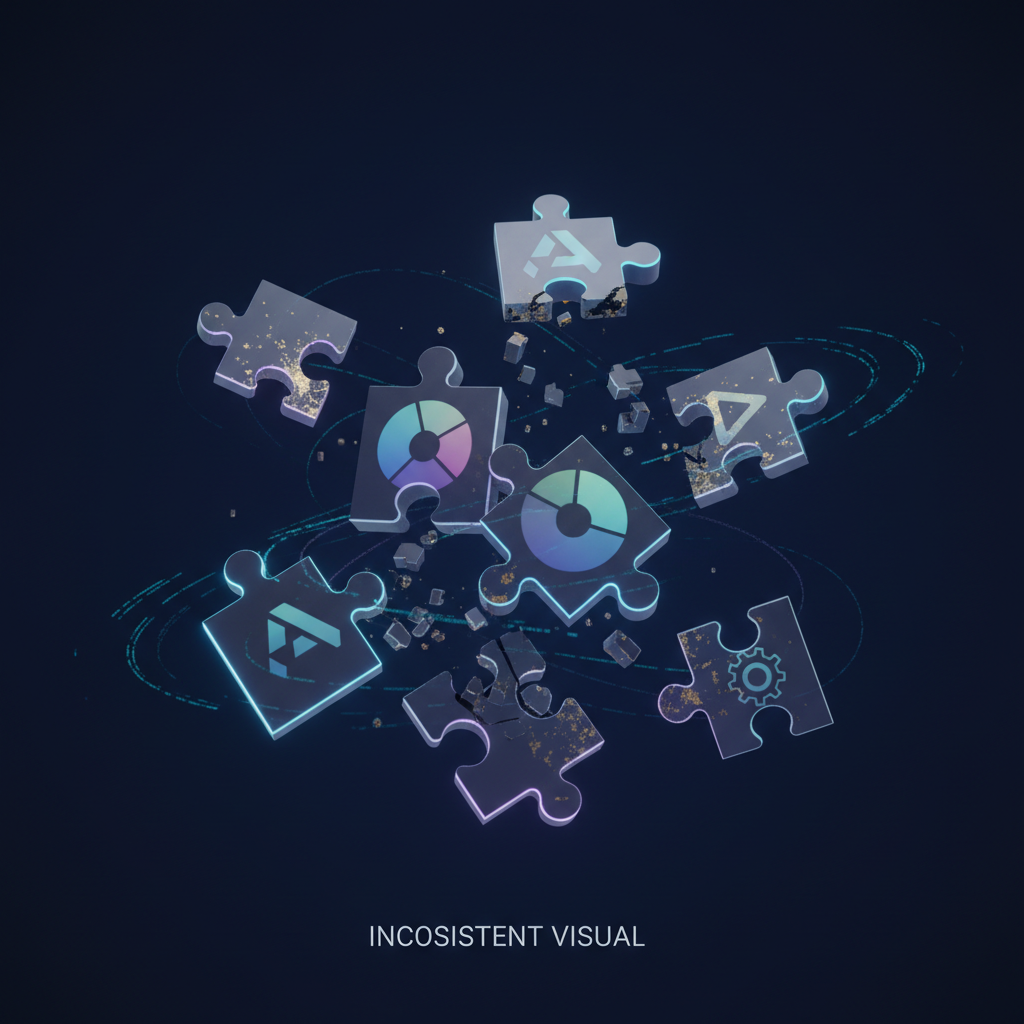
A presentation that looks like a patchwork quilt. When slides are prepared by different people or from different sources, the unified style collapses. Fonts, colors, icons, and the grid change from page to page, creating an impression of chaos and unprofessionalism. This reduces the credibility of the presenter and distracts the audience from the essence of the speech.

Solution

A designer who knows your brand by heart. Upload the company colors and logo. Our AI will become the architect of a unified style, automatically applying guidelines to each new slide. Each created element, from graphics to typography— will be 100% consistent with the corporate style, providing an impeccable and seamless visual range.

Problem

Professional slides in minutes, not days

Presentation design is a bottleneck. An order from an agency requires weeks and a serious budget. Working with freelancers involves endless edits and waiting. Self-assembly in complex editors takes hours and often does not produce high-quality results. The process becomes painfully slow and expensive.

Solution

The design department is in your laptop. Is free. Create visually compelling professional-level slides in minutes, not weeks. Our tool reduces design costs tenfold, saving the most valuable resources — preparation time and a budget that can be devoted to more important tasks.

Problem

Slide ideas that capture the audience

Creative stupor before a blank slide. Even knowing the topic, it's hard to figure out how to visualize data or an idea in a fresh and effective way. You have to use the same template schemes, which makes presentations boring and predictable, losing their impact.

Solution

AI as your creative co-speaker. Get hundreds of visualization options for any thesis, from non-obvious infographics to catchy metaphors and compositions. The tool offers fresh ideas for layouts and styles, becoming a source of inspiration that always works within the framework of your chosen format and tone, helping to turn a routine into an exciting storytelling.

⚙️

How to edit slide decks online

Editing a presentation doesn't need to be hard or complicated. Here is a short tutorial for the start.

Upload.pptx
1

Upload your file

Choose a presentation or text file, and write your prompt. If you are struggling with text, you can use special tool designed to help.

2

Pick a style and edit

Need to have slim sheets? Soften a chart? Select the tool and dial it in. You can regenerate your slide or edit it as much as you want.

Final_Deck.pdf
3

Save and use

See changes live, undo anything instantly, then download your result in different formats. You can regenerate your images or edit it as much as you want.

Where can you use the AI slide editor?

Whether it's for investors, client work, or personal projects — the use cases are endless. The AI slide editor adapts to your workflow, whether you're building a brand identity or polishing assets for a campaign.

  • ✦ Use the AI slide editor for fast professional editing without distortion.
  • ✦ The AI slide editor is ideal for fine-tuning and natural results.
  • ✦ Use the AI slide editor to enhance the error-free presentation experience.

Tips for achieving the best results

Small changes can make a big impact when editing slide features. These tips will help you avoid common mistakes and keep your results looking natural and sharp. Whether you're retouching for personal use or a professional project, a thoughtful approach pays off.

  • ✦ Thoughtful changes will lead to a perfect look.
  • ✦ Small edits will keep it natural and clear.
  • ✦ Precise adjustments will improve the result.
BEFORE
AFTER
DRAFT
FINAL

How do I upload and edit the generated slides?

Once your presentation is generated, you can easily export it to your preferred format. Our platform ensures all elements remain fully editable, allowing you to tweak text, images, and layouts to perfectly match your vision.

  • ✦ Upload the finished slides through the editor's interface to make edits.
  • ✦ To edit the generated slides, simply upload them to the editor.
  • ✦ Import the created slides into the editor and customize them for your tasks.
PPTX

Client Reviews

★★★★★

"Great tool as soon as you get used to it"

"At the beginning it was a bit challenging to understand how the workspace works. But as soon as I spent about 15 mins trying to figure it out, I grasped the idea and now creating slides for my presentations has never been easier."

Amy
★★★★★

"The best AI app out there"

"I can have all my favorite AI tools in one workspace, work with them from anywhere. Using a laptop and create awesome results literally in minutes for my upcoming social media post, newsletter or a fun meme for my friends."

Ponyo
★★★★★

"Greatest tools for creators"

"It has a very flexible mechanisms of NN configuration and friendly UI. This project helped me to create different pictures according to my rich imagination."

Peter
★★★★★

"Incredible time saver"

"I used to spend hours tweaking layouts. Now I can generate professional decks in minutes. The AI understands context perfectly."

Sarah
★★★★★

"Design quality is unmatched"

"The image generation capabilities are top-notch. It's like having a creative director in your pocket. Highly recommended for agencies."

Marcus
★★★★★

"Seamless workflow integration"

"The interface is clean and intuitive. It integrates perfectly with my existing tools, making the transition effortless."

Jessica

Best AI Tools All in One Place

Image_moto.png

OpenAI_logo.svg

GPT Image

AI image generation & editing
Sora 2
Cinematic video generation
Image_tort.png

Google_2015_logo 1.svg

Imagen 4

Ultra-sharp images
Gemini 2.5 / 3.0
Multimodal generation & editing
Veo 3.1
Fast video + motion consistency
Image_girl.png

Logo_runway.svg

Gen 4

Best for consistent characters & video
Aleph
Video editing & effects
Image_coffe.png

Midjorny.svg

MidJourney

Image generation & variations
Upscale / Outpaint / Pan
Advanced editing tools
Image_vert.png

Logo_hailuo.svg

Hailuo 2 Pro

High-quality video animation
Image_train.png

Logo_king.svg

Kling 2.5

v1, v1.5, v1.6, v2 video generation

FAQs

Answers to common questions about using Phygital+ and editing slides with AI.

How can Phygital+ replace traditional presentation design tools?

What's the fastest way to create branded slide decks in Phygital+?

Can I generate matching visuals for 50+ slide presentations?

How do I combine data visualization with AI-generated backgrounds?

What creative workflow works for investor pitch decks?

Can Phygital+ help maintain corporate design standards across team presentations?

Start for free

Create logos, mockups, and brand visuals in one place.

New