Generate Watercolor Portrait with AI

Upload a photo and get a stylized watercolor portrait in seconds β€” without limits, downloads, or complicated editors. Generate Watercolor Portrait with AI is built for artists, photographers, and content creators who want to transform ordinary photos into beautiful, artistic watercolor portraits instantly.

P+
New Project / Watercolor AI
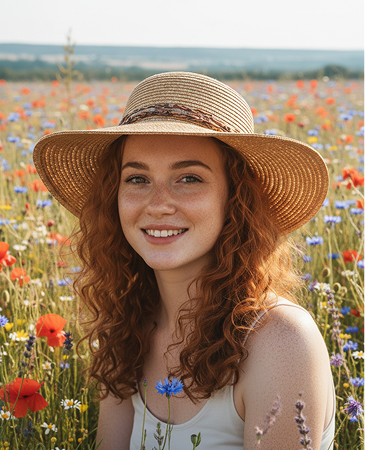
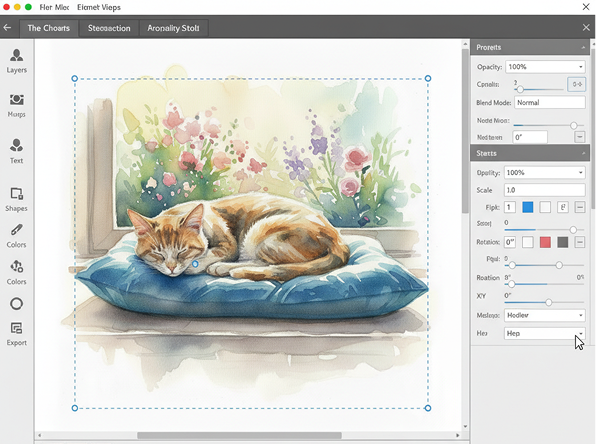
Generated Image January 20, 2026 - 12_27PM 1.png
Original Input
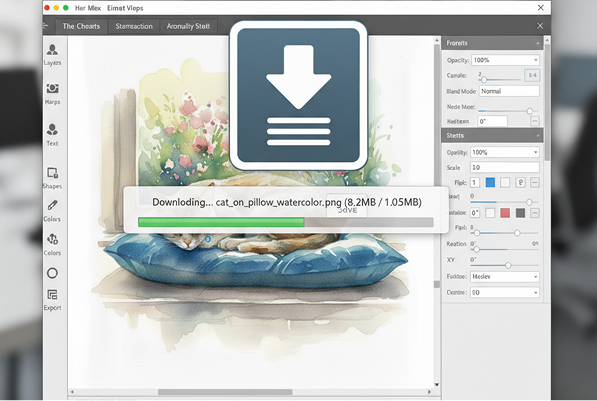
>> PROCESSING_IMG--FILTER: WATERCOLOR>> RENDER_V4
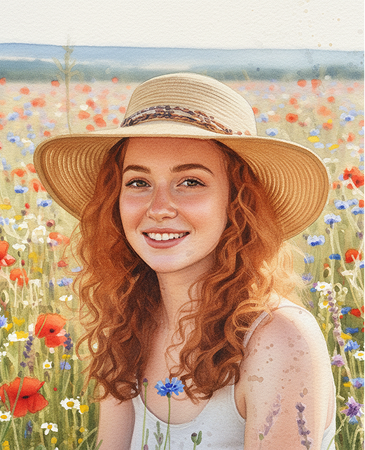
Generated Image January 20, 2026 - 12_31PM 1.png
AI Result
Supported by:image (6).png

What is the Generate Watercolor Portrait with AI tool?

Artistic Style Intelligence

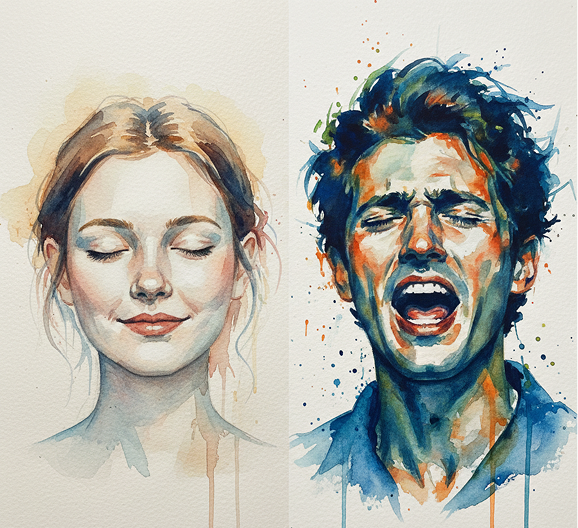
The AI understands watercolor techniques and artistic interpretation. From soft washes and delicate blending to expressive brushstrokes and texture layering, it adapts the painting style to match your photo’s mood and composition.

Beyond Simple Filters

Create entirely new, hand-painted artwork. Unlike basic photo filters or preset effects, every brushstroke and color blend is generated authentically to recreate the feel of traditional watercolor on paper.

Commercial Rights & Full Ownership

You own the watercolor portrait. Use the artwork for prints, gifts, merchandise, social media, and personal or commercial projects without copyright restrictions or licensing fees.
✨

Why should you use the Generate Watercolor Portrait with AI tool?

High-Resolution Art Quality

Export your watercolor portrait at up to 4K resolution, with preserved detail and texture, suitable for high-quality prints, digital displays, and professional portfolios.

Transform Instantly

Adjust painting intensity, color palette, brushstroke style, or background effects in a click. No need for watercolor skills, manual painting, or complex editing software.

No Software Needed

Everything works directly in your browser. Save your artistic transformations and access them securely from any device, anywhere.

Print & Digital Ready

Download your portrait in formats optimized for social media, print-on-demand products, digital framing, and custom giftsβ€”with perfect artistic rendering.

From ordinary photo to expressive watercolor art

Stop settling for predictable photo edits. Go from snapshot to a beautiful, one-of-a-kind watercolor portrait in seconds. Reimagine, refine, and export artistic keepsakes with AI. Create timeless, personalized artβ€”without needing painting skills or expensive commissions.

Generated Image January 21, 2026 - 11_18AM 1.png
PROBLEM

Consistent artistic quality across personal or professional portraits

A collection of portraits that lack artistic cohesion. When photos are edited with generic filters or by different artists, the results feel disjointedβ€”some look over-processed, others too digital, and none capture the charm of real watercolor. Styles, textures, and color harmony don’t align, making gifts, dΓ©cor, or branding visuals feel amateurish and inconsistent.

Solution

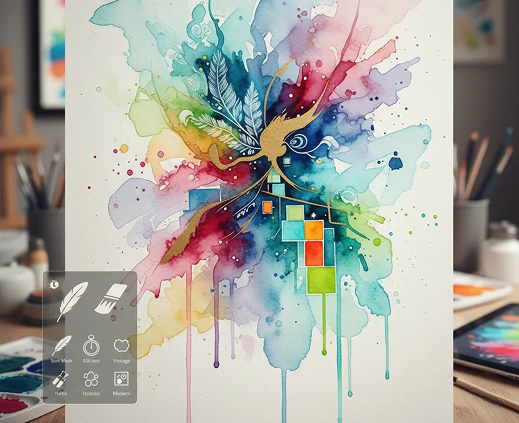
The AI artist that masters watercolor expression. Upload your photo and select your preferred watercolor styleβ€”soft wash, bold strokes, vintage, or modern. Our AI becomes your personal portrait painter, applying authentic watercolor techniques to create artwork that feels handcrafted, emotional, and perfectly balanced. Every portrait carries the same refined artistic touch.

PROBLEM

Custom watercolor art in minutes, not monthsβ€”without hiring an artist

Commissioning a traditional watercolor portrait is slow and costly. Hiring an artist requires a significant budget and long wait times. Using basic apps leads to fake-looking, low-quality results. Creating authentic watercolor art manually demands rare skill and materials. Getting a beautiful, personalized portrait becomes an inaccessible luxury.

SOLUTION

A professional watercolor studio in your browser. For free. Create gallery-worthy watercolor portraits in minutesβ€”not months. Our tool eliminates the cost and complexity of traditional painting, making personalized art accessible to everyone.

Generated Image January 21, 2026 - 11_19AM 1.png
Generated Image January 21, 2026 - 11_21AM 1.png
PROBLEM

Unique, artistic portraits that still look like you

Generic filters make everyone look the same. How do you get a portrait that’s both unmistakably you and beautifully artistic? Repetitive digital edits strip away personality. You need a transformation that enhances character, preserves likeness, and feels genuinely hand-painted.

SOLUTION

AI as your personal portrait artist. Generate multiple artistic interpretationsβ€”from adjusting color moods and brush intensity to exploring different compositions and background effects. This tool becomes your creative partner, helping you create a portrait that’s not just a filter, but a piece of artβ€”always authentic, always personal.

⚑

How to create a watercolor portrait

Creating a custom watercolor portrait doesn't need to be hard or complicated. Here is a short guide to get you started.

Generated Image January 21, 2026 - 11_32AM (1) 1.png
1

Upload your photo and set the mood

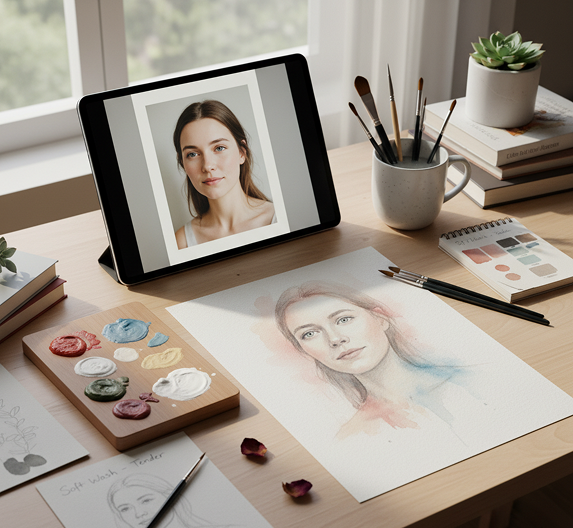
Upload a clear, well-lit photo of a person or pet. Choose a watercolor styleβ€”soft, vibrant, classic, or modernβ€”to define the artistic direction.

Generated Image January 21, 2026 - 11_33AM (1) 1.png
2

Refine your portrait's artistic details

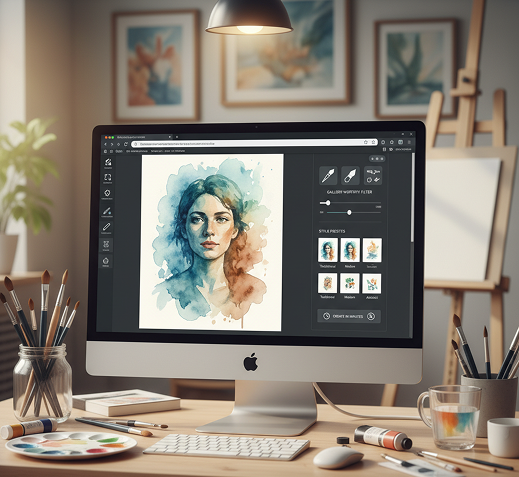
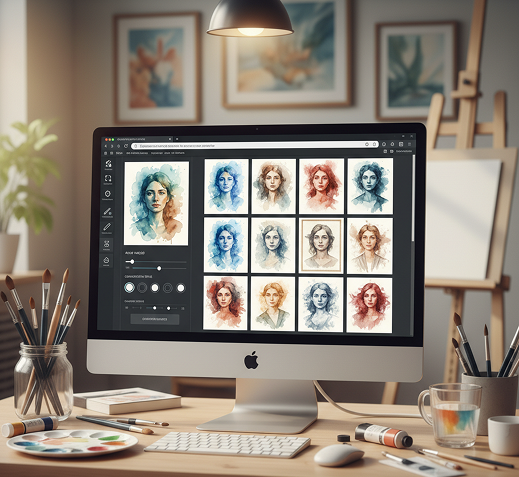
Adjust the brushstroke intensity, color saturation, background wash, and detail level. Preview changes in real time, or generate new variations until the portrait feels perfect.

Generated Image January 21, 2026 - 11_36AM (1) 1.png
3

Export and share your artwork

See your watercolor portrait live, undo any edits instantly, then download it as a high-resolution imageβ€”ready for printing, gifting, or sharing online.

Where can you use the Generate Watercolor Portrait with AI tool?

Whether it’s for personal gifts, professional branding, or creative projects β€” the possibilities are both meaningful and wide-ranging. The tool adapts to your creative needs, whether you're celebrating a memory or enhancing a visual identity.

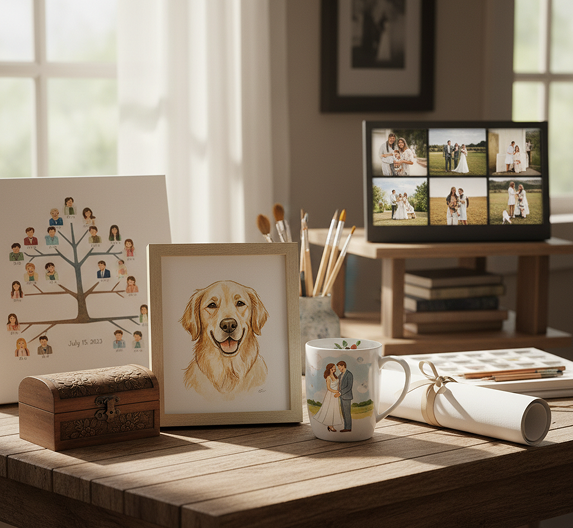
  • ✦ Personal Gifts & Keepsakes – Create unique portraits for family, friends, weddings, anniversaries, or pet memorials.
  • ✦ Professional Branding & Content – Generate artistic visuals for author photos, speaker portraits, podcast art, or brand storytelling.
  • ✦ Art & Home DΓ©cor – Design custom artwork for prints, canvases, digital frames, or personalized home and office dΓ©cor.
Generated Image January 21, 2026 - 11_31AM (1) 1.pngGenerated Image January 21, 2026 - 11_28AM 1.png

Tips for achieving the best results

Authenticity and emotion are key in a watercolor portrait. These tips will help you create a portrait that feels both artistic and true to the subject.

  • ✦ Start with a high-quality, well-lit photo – Clear features and good lighting allow the AI to capture details and expression accurately.
  • ✦ Choose a style that matches the mood – A soft wash for a tender portrait, bold strokes for a dynamic one. Match the style to the emotion you want to convey.
  • ✦ Don’t over-edit – The beauty of watercolor is in its subtle imperfections. Let the artistic texture shine through.
Generated Image January 21, 2026 - 11_35AM (1) 1.png

How to download and use your watercolor portrait

Exporting your artwork is simple and gives you full control over quality and usage. You can revisit and adjust your portrait anytime.

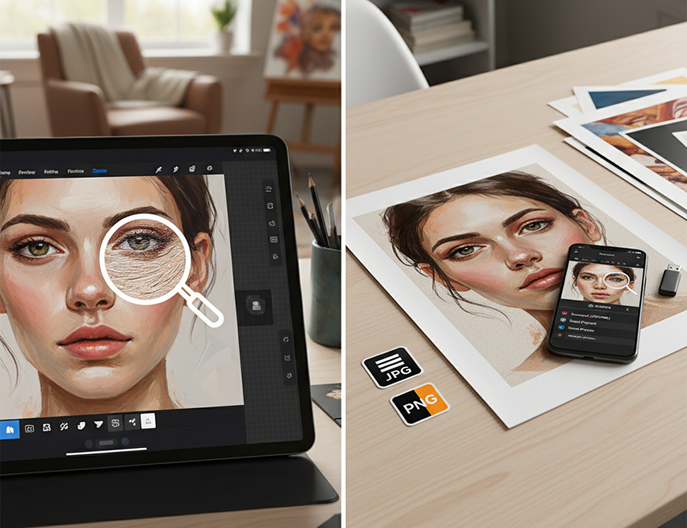
  • ✦ Preview and refine your portrait on screen before finalizing. Zoom in to appreciate the brushstroke details.
  • ✦ Download as a high-resolution JPEG or PNG with preserved color depth, suitable for both print and digital use.
  • ✦ Save your project to revisit, create different style versions, or order prints laterβ€”your art is always stored in your gallery.
Placeholder image
πŸ’¬

Client Reviews

β˜…β˜…β˜…β˜…β˜…

"Turned our family photo into a treasured heirloom.”

β€œWe wanted something special for our anniversary, and this created a stunning, emotional watercolor from our favorite picture. It feels like a real painting. We had it printed and framed – absolutely beautiful.”

Elena

β˜…β˜…β˜…β˜…β˜…

β€œPerfect for my small business branding.”

β€œAs a wedding planner, having a soft, artistic portrait on my website completely elevated my brand. Clients constantly compliment it. It’s professional yet deeply personal.”

James

β˜…β˜…β˜…β˜…β˜…

β€œA heartfelt and unique gift every time.”

β€œI’ve used this for birthday and holiday gifts for friends. Everyone is amazed it’s AI – it looks so handcrafted. It’s my go-to for a meaningful present.”

Sophia

β˜…β˜…β˜…β˜…β˜…

β€œBrought my children’s photo to life in a new way.”

β€œThe portrait captured their innocence and playfulness with such gentle brushstrokes. It’s hanging in our living room and gets more compliments than any professional photo we have.”

David

β˜…β˜…β˜…β˜…β˜…

β€œRevolutionized my pet portrait commissions.”

β€œAs an artist, I offer digital pet portraits. This tool helps me create beautiful, stylized watercolor bases that I can then refine. It’s sped up my process and delighted my clients.”

Chloe

β˜…β˜…β˜…β˜…β˜…

β€œGreat tool as soon as you get used to it!”

β€œAt first, getting the watercolor intensity right was tricky, but after about 10 minutes of experimenting, everything clicked. Now I create beautiful custom portraits for gifts in seconds.”

Mila

✨

Best AI Tools All in One Place

OpenAI_logo.svg

GPT Image

AI image generation & editing

Sora 2Cinematic video generation
Google_2015_logo 1.svg

Imagen 4

Ultra-sharp images

Gemini 2.5 / 3.0Multimodal generation & editing
Veo 3.1Fast video + motion consistency
Logo_runway.svg

Gen 4

Best for consistent characters & video frame generations

AlephVideo editing & effects
Image_coffe.png
Midjorny.svg

MidJourney

Image generation & variations

Upscale / Outpaint / PanAdvanced editing tools
Logo_hailuo.svg

Hailuo 2 Pro

High-quality video animation

Logo_king.svg

Kling 2.5

v1, v1.5, v1.6, v2 video generation

⚑

Explore similar use cases

Generate Isometric Assets with AI

Create isometric illustrations for games or web projects

Generate Flat Vector Illustrations

Simple, colorful flat-style illustrations from text

Generate Neon/Glitch Visuals

Create stylized designs in neon, glitch, or synthwave styles

Generate Cyberpunk Concept Art

Make gritty, futuristic environments and characters

✦

FAQs

Answers to common questions about using Phygital+ and editing images with AI.

How does Phygital+ create an authentic watercolor portrait, not just a simple filter effect?

-
The AI in Phygital+ doesn't just apply a filter; it has been trained on thousands of real watercolor paintings to understand the medium's nuances. It simulates authentic effects like pigment bleeds, water blooms, and paper texture, reimagining your photo's light and shadow as if a real artist painted it. The result is a unique piece of art, not a simple overlay.

How does Phygital+ ensure the portrait retains the likeness of the person in the original photo?

+

Can I influence the watercolor style, for example, making it loose and expressive versus detailed and tight?

+

What if I like the portrait subject but want to change the busy background from my photo?

+

How does the AI handle photos with multiple people, like a family or group portrait?

+

Is the final watercolor portrait high-resolution enough to be printed and framed as a gift?

+

Start for free

Create logos, mockups, and brand visuals in one place.