Home/Free AI Logo Stylizer

Free AI Logo Stylizer

Generate consistent logo variations and brand adaptations online in seconds. The AI Logo Stylizer is made for designers, brand managers, and marketers who need precise, style-locked visuals across multiple platforms and campaigns.

New Project / Season 1
Generated Image December 28, 2025 - 6_43PM.png
Base Logo
Generated Image December 28, 2025 - 6_10PM 1.png
Generated Image December 28, 2025 - 6_46PM 1.png
Supported byimage (6).png

What is AI Logo Stylizer?

Intellectual transformation

Artificial intelligence analyzes your original logo to preserve its key elements and proportions, ensuring integrity when changing the style. You no longer need to manually adapt the logo for different applications.

Not just styling

You can convert logos to 3D format, add metallic, neon, grunge or other effects, adjust depth, lighting and textures — all with high precision and control.

For brands and creators

The tool is ideal for designers, marketers, startups and companies that need to quickly adapt a logo to different media: website, social media, merch, presentations or videos.

✨

Why should you use the AI Logo Stylizer?

High-Precision Stylization

Thanks to advanced multi-model AI integration, you can apply and refine various styles within a single, seamless workflow—from 3D extrusion to metallic finishes.

Edit Any Detail Instantly

Adjust depth, modify textures, change lighting angles, or fine-tune effects like gloss and shadows without compromising the original logo’s quality or sharpness.

No Install, No Extra Software

Everything runs securely in your browser. Whether you're on a desktop, laptop, or tablet, your projects are saved locally and stay private.

Formats Ready for Real Use

Download your styled logos in PNG or JPG, or export high-resolution versions perfectly prepared for print, web, social media, or presentations.

From Sketch to Signature Style – Instantly.

Our AI-powered tool transforms your basic logo into a library of professional, stylized assets, eliminating the typical obstacles: complex software, high costs, and time-consuming redesigns. No more visual inconsistency—just a harmonious, adaptable brand identity that strengthens recognition.

8edc0fce-8781-4fd8-9ba5-98c3eec17bae 1.png
PROBLEM

Inconsistent Brand Expression

A brand that doesn't look like one brand. When logos are adapted for different media—social media, merchandise, presentations—by different hands or tools, cohesion is lost. The 3D effect on a website banner doesn't match the print version; the metallic version for a video has different lighting. The result is a fragmented brand image that weakens memorability and professionalism.

SOLUTION

An AI that Works as Your Brand Guardian. Upload your core logo once. Define the desired style—be it 3D, metallic, neon, or minimalist. Our AI becomes the guarantor of visual consistency, applying your chosen aesthetic with precision to every new asset. All outputs, from app icons to billboard mock-ups, belong to the same cohesive family while being perfectly adapted to their medium.

PROBLEM

Professional Styling — Without the Agency Budget or Wait

Hiring a designer for multiple logo variations is expensive and slow. Using generic filters or different online tools leads to a mismatched, amateurish look. Manually creating a cohesive set of styled logos for a full campaign can take weeks, stalling your entire project timeline.

SOLUTION

A Complete Suite of Brand Assets in Minutes, Not Months. Generate a flawless, stylistically unified set of logo variations yourself, instantly and affordably. The stylizer reduces the cost and time of the process exponentially, freeing up your budget and schedule while giving you complete creative control.

fcb16fd1-9252-41f1-8a3b-2821bf6dbc15 1.png
8ed70627-d60e-4135-ae12-051eb8ce8cea 1.png
PROBLEM

A Limited Visual Library in a Static Style

Creative stagnation within a brand guide. Even with a great logo, it's challenging to visualize how it would work in new, trending styles or unexpected applications. You risk the brand feeling dated or missing opportunities to engage audiences with fresh, on-brand visual concepts.

SOLUTION

AI as Your Personal Brand Visionary. Explore hundreds of stylistic adaptations: from subtle texture enhancements to complete transformations into 3D, holographic, or engraved styles—all while locking down your core brand identity. The tool becomes an endless source of creative exploration, allowing you to see your logo in new lights and confidently expand your visual branding.

How to Style Your Logo?

In three simple steps, you can transform your logo with AI — fast, flexible, and professional.

Generated Image December 28, 2025 - 8_50PM 1.png
Generated Image December 28, 2025 - 8_42PM 1.png
Generated Image December 28, 2025 - 8_45PM 1.png
1
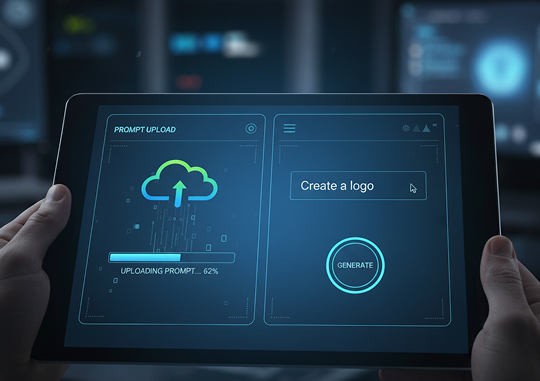
Upload your logoStart by uploading your original logo file. For best results, use a high-quality PNG or SVG.
2
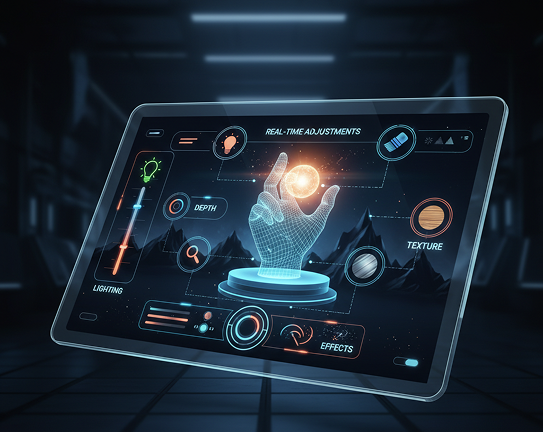
Pick a style and refineChoose from our library of styles: 3D, metallic, neon, minimalist, and more. Use our intuitive tools to adjust lighting, depth, texture, and effects in real-time.
3
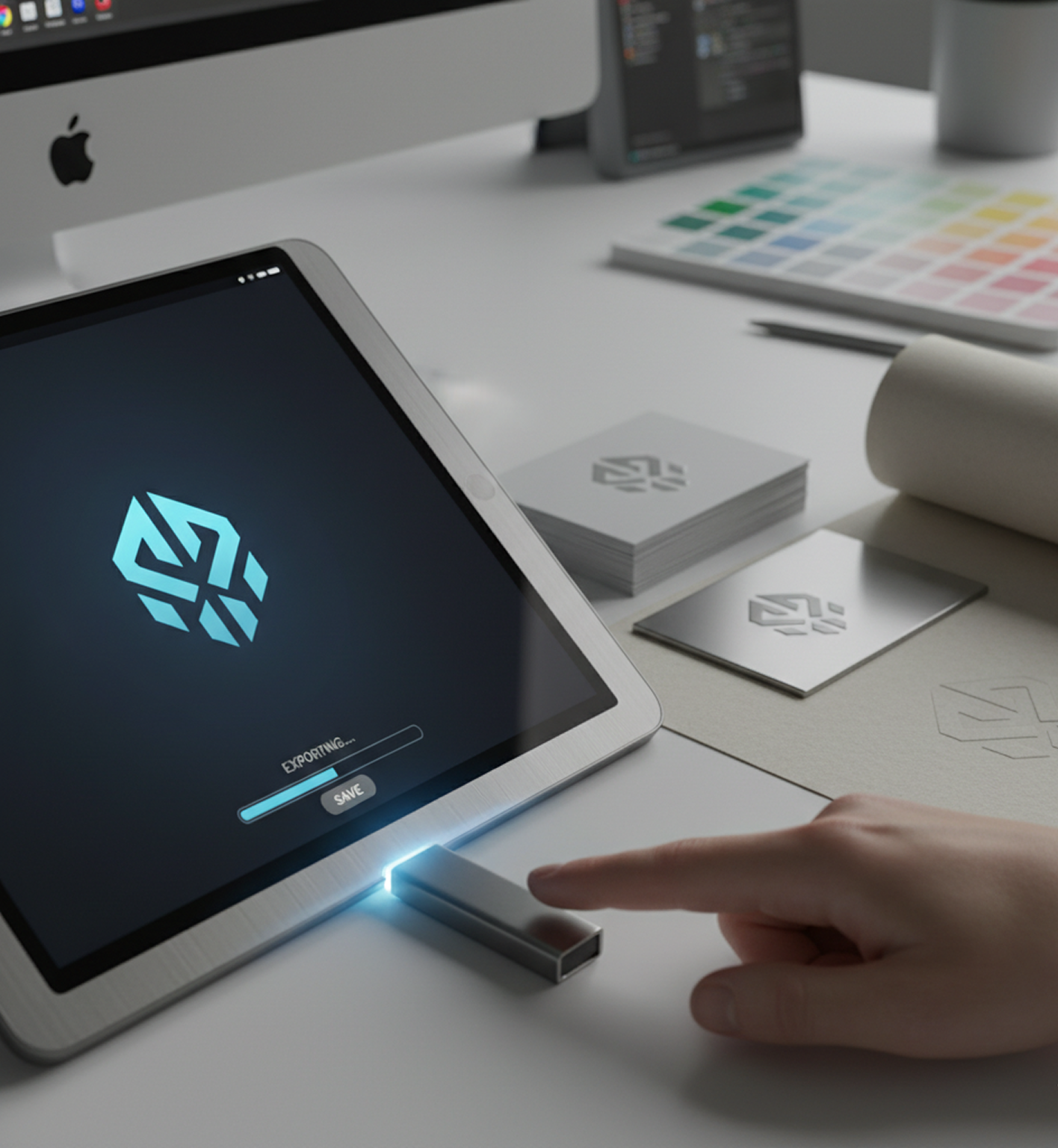
Save and applyPreview your styled logo instantly, undo any changes, and download your final design in the formats you need—PNG, JPG, or high-res for print and digital use.

Where can you use the AI Logo Stylizer?

Whether it's for brand evolution, marketing campaigns, or product development — the use cases are extensive. The tool adapts to your creative and business needs, whether you're refreshing an identity or creating assets for a new launch.

  • ✦ Social media branding (profile pictures, banners, and story highlights)
  • ✦ Professional presentations and pitch decks
  • ✦ Marketing materials (brochures, flyers, and advertisements)
  • ✦ Product packaging and merchandise mock-ups
Generated Image December 28, 2025 - 8_56PM 1.png

Tips for achieving the best results

Subtle refinements can dramatically elevate your logo's impact. These tips will help you avoid common errors and ensure your styled logos remain professional, sharp, and true to your brand.

  • ✦ Start with a high-resolution, clean vector file (like SVG or a high-res PNG) for maximum detail
  • ✦ Be intentional with style intensity; subtle adjustments often look more professional than extreme effects
  • ✦ Experiment with lighting and shadow angles to enhance the 3D illusion
  • ✦ Always preview your logo on different background colors and mock-ups before finalizing
Generated Image December 28, 2025 - 5_50PM.pngGenerated Image December 28, 2025 - 5_52PM.pngGenerated Image December 28, 2025 - 5_52PM (1).pngGenerated Image December 28, 2025 - 5_51PM.png

How to download and use your styled logo

Exporting your transformed logo is simple and versatile, giving you full control for any application, from digital screens to high-quality print.

  • ✦ Apply and fine-tune styles using real-time visual controls
  • ✦ Download in PNG, JPG, or SVG formats
  • ✦ Export multiple versions optimized for web (RGB) or print (CMYK)
  • ✦ All stylizations are non-destructive; you can revert to your original logo or adjust settings at any time
Generated Image December 28, 2025 - 6_55PM 1.png
Generated Image December 28, 2025 - 7_00PM 1.png
💬

Client Reviews

★★★★★

"A game-changer for our brand refresh!"

I was skeptical at first, but this tool saved us weeks of designer back-and-forth. We transformed our flat logo into stunning 3D and metallic versions for our new product launch in under an hour. The consistency across different styles is impeccable.

Aleksandr
★★★★★

"Exactly what our marketing team needed"

The learning curve is practically non-existent. Within minutes, we were creating a whole suite of branded assets—social media variants, presentation icons, even mock-ups for swag. It's fast, intuitive, and the quality is professional.

Pyotr
★★★★★

"Unlocked creativity we didn't know we had"

We've had the same logo for years. Using the stylizer, we explored dozens of "what-if" scenarios—neon, engraved, you name it—without any risk. It’s like having a brand design lab at your fingertips. Highly recommend for brainstorming.

Lili
★★★★★

"Simplified our agency workflow dramatically"

As a small agency, we can now offer logo styling and variation concepts as a standard service without bloating our timeline or budget. The ability to deliver multiple high-quality options to a client instantly is a massive competitive advantage.

Mariay
★★★★★

"Perfect for non-designers (like me!)"

I run a startup and have zero design skills. This tool allowed me to create professional, cohesive logo variations for our website, investor decks, and merch all by myself. The controls are logical, and the results look like I hired a pro.

Max
★★★★★

"Intuitive once you get the hang of it"

The interface was a bit new at first, but after about 10 minutes of exploring, everything clicked. Now, generating a polished metallic logo variant for a client proposal takes seconds, not days. It's become an indispensable part of our toolkit.

Mia
✨

Best AI Tools All in One Place

OpenAI_logo.svg

GPT ImageAI image generation & editing
Sora 2Cinematic video generation

Google_2015_logo 1.svg

Imagen 4Ultra-sharp images
Gemini 2.5 / 3.0Multimodal generation & editing
Veo 3.1Fast video + motion consistency

Logo_runway.svg

Gen 4Best for consistent characters & video frame generations
AlephVideo editing & effects

Midjorny.svg

MidJourneyImage generation & variations
Upscale / Outpaint / PanAdvanced editing tools

Logo_hailuo.svg

Hailuo 2 ProHigh-quality video animation

Logo_king.svg

Kling 2.5v1, v1.5, v1.6, v2 video generation
âš¡

Explore similar use cases

AI Brandbook Generator

Create brand style guides and assets from a single prompt

AI Brand Asset Generator

Generate brand-aligned icons, visuals, and layouts with AI

AI Social Media Post Generator

Design multiple creatives for campaigns from your brand theme

AI Pattern Generator

Seamless, tileable patterns for branding, textiles, and backgrounds

✨

FAQs

Answers to common questions about using the Series Art Generator and editing images with AI.

How does the Phygital+ AI Logo Stylizer maintain the integrity of my original logo design?

+

Can I apply a new style to my logo for a specific campaign and then use it across all my assets?

+

What kind of styles can I apply to my logo, and can I create my own unique style?

+

How quickly can I generate multiple logo variations for A/B testing?

+

Do I need any design skills to use the AI Logo Stylizer in Phygital+?

+

Will the stylized logos be high-resolution enough for both print and digital use?

+

Start for free

Create logos, mockups, and brand visuals in one place.

New!
Cool!