Home/Free AI Animation Frames to GIF Generator

Free AI Animation Frames to GIF Generator

Turn AI animation frames into export-ready GIFs in seconds β€” without limits, downloads, or complicated editors. The AI Animation Frames to GIF Generator is built for designers, animators, and content creators who need smooth, loop-ready GIFs created instantly from AI-generated frame sequences.

/generate prompt: smooth organic liquid glass shape, rainbow colors, 4k, white background, smooth motion loop
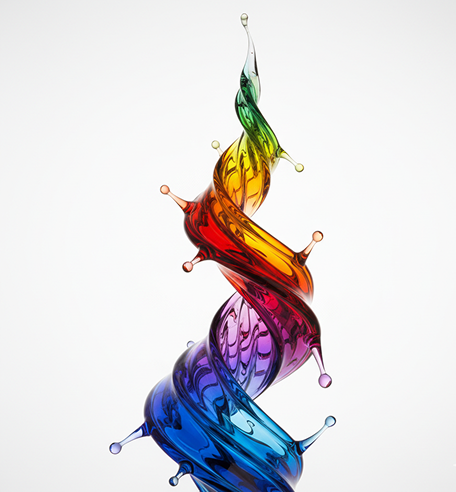
Generated Image January 18, 2026 - 9_00PM 1.png
Generation Complete
Supported byimage (6).png

What is an AI Animation Frames to GIF Generator?

Style and Motion Intelligence

The AI understands motion and visual continuity. From smooth transitions and seamless loops to expressive frame-by-frame animation, it adapts the motion style to match your creative vision.

Beyond Static Frames

Generate entirely new, fluid animations. Unlike basic image sequences, every frame is optimized for smooth playback and seamless looping based on your unique prompts.

Commercial Rights & Full Ownership

You own the animation. Use the generated GIFs for social media, websites, digital ads, and presentations without worrying about copyright strikes or licensing feesβ€”ready for commercial use.

✦

Why should you use the AI Animation Frames to GIF Generator?

🎨

Optimized for Digital Use

Export smooth, loop-ready GIFs with optimized file sizes, meeting all requirements for social media, websites, and messaging platforms.

⚑

Edit Instantly

Adjust speed, add text, change colors, or fine-tune transitions in a click. No need for complex animation software or timeline editing.

🚫

No Software Needed

Everything works directly in your browser. Save your animation projects and easily access them from any device, anywhere.

πŸ“€

Platform-Ready Animations

Export pre-optimized formats for Twitter, Discord, Instagram Stories, email signatures, and website banners with perfect looping and compression.

From scattered frames to polished motion graphics

Stop the inconsistency in your animated content. Go from concept to seamless, loop-ready GIFs in seconds. Compile, refine, and export smooth animations with AI. Build a dynamic and engaging visual identity across platformsβ€”without animation bottlenecks.

Generated Image January 19, 2026 - 9_57AM 1.png
PROBLEM

Consistent motion identity across all digital channels

A brand that moves in disjointed ways. When animations for different platformsβ€”social media, websites, presentationsβ€”are created with mismatched timing, styles, or looping behaviors, the brand's motion language feels inconsistent. Frame rates, transitions, and visual effects don't align, making your content feel unprofessional and forgettable. This weakens engagement and dilutes recognition.

Solution

The AI animator that understands your motion language. Upload your brand guidelines or describe your desired animation style. Our AI becomes your motion director, automatically applying your visual rules to compile frames into smooth, optimized GIFs for every use caseβ€”from micro-animations to full scenes. Every GIF will be 100% aligned with your brand's dynamic identity.

Generated Image January 19, 2026 - 9_58AM 1.png
PROBLEM

Professional animations in hours, not weeksβ€”without studio costs

Custom animation is traditionally slow and expensive. Hiring an animator or studio requires significant budget and time. Using scattered GIF makers or basic editors leads to choppy, unprofessional results. Creating smooth, seamless animations manually demands specialized skills and tools. Producing a cohesive set of animated assets becomes a lengthy, costly effort.

SOLUTION

A professional animation studio in your browser. For free. Create beautiful, export-ready GIFs in minutesβ€”not weeks. Our tool eliminates the cost and complexity of animation production, preserving your creative budget and project timeline.

Generated Image January 19, 2026 - 9_59AM 1.png
PROBLEM

Fresh, engaging motion that stays on-brand

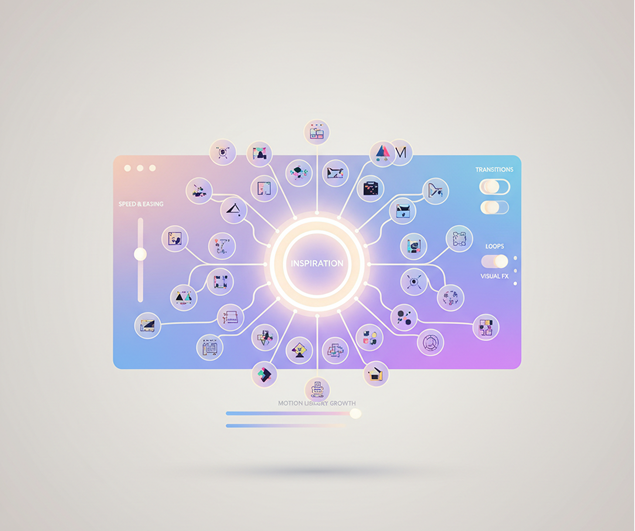
Reusing the same animations leads to creative fatigue. How do you keep generating new motion content that captures attention without straying from your visual identity? Static or repetitive motion causes engagement to drop. You need innovative animation ideas that expand your motion library while remaining unmistakably yours.

SOLUTION

AI as your in-house motion designer. Generate hundreds of cohesive animated variationsβ€”from adjusting speed and easing to experimenting with transitions, loops, and visual effects. This tool becomes your endless source of animated inspiration, helping you build a lively, scalable motion library that grows with your brandβ€”always on-style, always in motion.

βœ›

How to create animated GIFs

Creating custom animations doesn't need to be hard or complicated. Here is a short guide to get you started.

Generated Image January 19, 2026 - 10_04AM 1.png
1

Upload your frames or generate a sequence

Upload a series of AI-generated frames or describe your animation idea. Use our motion prompt assistant to define style, action, and length if needed.

Generated Image January 19, 2026 - 10_08AM 1.png
2

Customize your animation

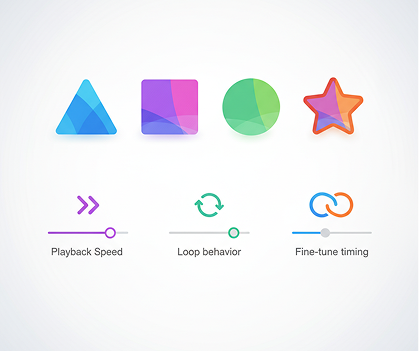
Adjust playback speed, frame order, loop behavior, and transitions. Fine-tune timing, add effects, or regenerate the sequence until the motion feels just right.

3

Preview, export, and share

See your animation live, undo any changes instantly, then download it as an optimized GIFβ€”ready for social media, websites, or messaging platforms.

Where can you use the AI Animation Frames to GIF Generator?

Whether it’s for social content, web design, or creative projects β€” the applications are versatile. The generator adapts to your workflow, whether you’re adding motion to a brand or creating engaging assets.

  • ✦Social Media & Marketing – Create eye-catching animated posts, ads, and Stories for platforms like Instagram, Twitter, and LinkedIn.
  • ✦Website & UI Design – Generate subtle animations, loading indicators, and hover effects for websites and apps.
  • ✦Presentations & Content – Add motion to slides, infographics, and digital reports to increase engagement and clarity.
Generated Image January 19, 2026 - 10_19AM 1.pngGenerated Image January 19, 2026 - 10_18AM (1) 1.png

Tips for achieving the best results

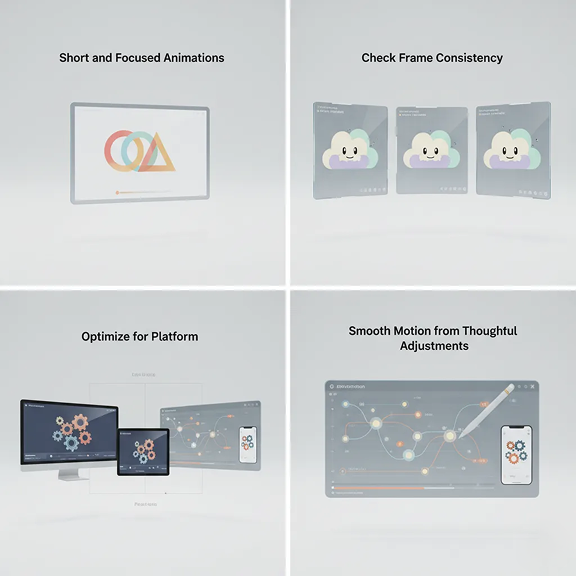
Smooth motion comes from thoughtful adjustments. These tips will help you create professional, polished animations every time.

  • ✦Keep animations short and focused – Loops of 2–5 seconds often perform best and load faster.
  • ✦Check frame consistency – Ensure colors, style, and proportions remain steady across all frames.
  • ✦Optimize for platform – Adjust resolution, speed, and file size based on where your GIF will be used.
Generated Image January 19, 2026 - 10_17AM 1.png

How to download and use your GIFs

Exporting your animations is simple and flexible. You maintain full control over format, quality, and playbackβ€”and can return to edit anytime.

✦Preview and refine your animation before finalizing the loop and speed.
✦Download as an optimized GIF with choice of quality and file size, or export frames individually.
  • ✦Save your project to revisit, edit, or create new versions laterβ€”all iterations are kept.
  • Generated Image January 19, 2026 - 10_25AM 1.png
    βœ“
    Export Completecover_art_final.gif
    ☘

    Artist Reviews

    β˜…β˜…β˜…β˜…β˜…

    "Saves our marketing team hours every week.”

    β€œWe used to outsource simple animations, but now we create smooth, on-brand GIFs in minutes. The loop optimization is seamless, and it works perfectly for social campaigns.”

    Miguel
    β˜…β˜…β˜…β˜…β˜…

    β€œPerfect for UI/UX designers who need micro-animations.”

    β€œI can finally prototype animated icons and interface elements without using complex software. The output is clean, lightweight, and ready to implement.”

    Tara
    β˜…β˜…β˜…β˜…β˜…

    β€œA total game-changer for content creators.”

    It has a very flexible mechanism of AI configuration and friendly UI. This project helped me create different pictures according to my rich imagination.

    Jordan
    β˜…β˜…β˜…β˜…β˜…

    β€œEssential for educators and course creators.”

    β€œAnimated explanations keep my students engaged. Now I can create custom educational GIFs without any animation experience. It's intuitive and incredibly effective.”

    Dr. Evans
    β˜…β˜…β˜…β˜…β˜…

    "Album rollout made easy"

    We needed a cohesive look for the EP, singles, and merch. This AI nailed the aesthetic instantly. It saved us thousands in design fees.

    Simone
    β˜…β˜…β˜…β˜…β˜…

    "Finally, art that matches the sound"

    β€œAt first, syncing the frames felt tricky, but after about 10 minutes of practice, everything clicked. Now I create smooth animated assets for my presentations effortlessly.”

    Luna
    ✦

    Best AI Tools All in One Place

    Image_moto.png
    OpenAI_logo.svg

    GPT Image

    AI image generation & editing

    Sora 2

    Cinematic video generation

    Image_tort.png
    Google_2015_logo 1.svg

    Imagen 4

    Ultra-sharp images

    Gemini 2.5 / 3.0

    Multimodal generation & editing

    Veo 3.1

    Fast video + motion consistency

    Image_girl.png
    Logo_runway.svg

    Gen 4

    Best for consistent characters & video frame generations

    Aleph

    Video editing & effects

    Image_coffe.png
    Midjorny.svg

    MidJourney

    Image generation & variations

    Upscale / Outpaint / Pan

    Advanced editing tools

    Logo_hailuo.svg

    Hailuo 2 Pro

    High-quality video animation

    Image_train.png
    Logo_king.svg

    Kling 2.5

    v1, v1.5, v1.6, v2 video generation

    ↔

    Explore similar use cases

    AI SVG Generator

    Generate vector illustrations and icons from prompts as SVG files

    AI PNG Generator

    Create transparent PNG assets from your descriptions

    AI JPEG to Art Transformation

    Upload a photo, reimagine it as a styled illustration

    AI MP4 Short Video Generator

    Get short social-ready videos from a text prompt

    ✦

    FAQs

    Answers to common questions about using Phygital+ and editing album covers with AI.

    What's the advantage of using this inside Phygital+ instead of a separate GIF maker app?

    +

    How much control do I have over the final GIF's settings, like frame rate and looping?

    +

    What's the best workflow in Phygital+ for creating the animation frames before I even get to the GIF stage?

    +

    My AI-generated frames sometimes have slight inconsistencies. How does Phygital+ help create a smooth, non-flickering GIF?

    +

    Does this only work with frames generated inside Phygital+, or can I upload my own image sequence?

    +

    Are the GIFs optimized for web and social media in terms of file size and quality?

    +

    Start for free

    Create logos, roadmaps, and brand visuals in one place.

    NEW
    WOW